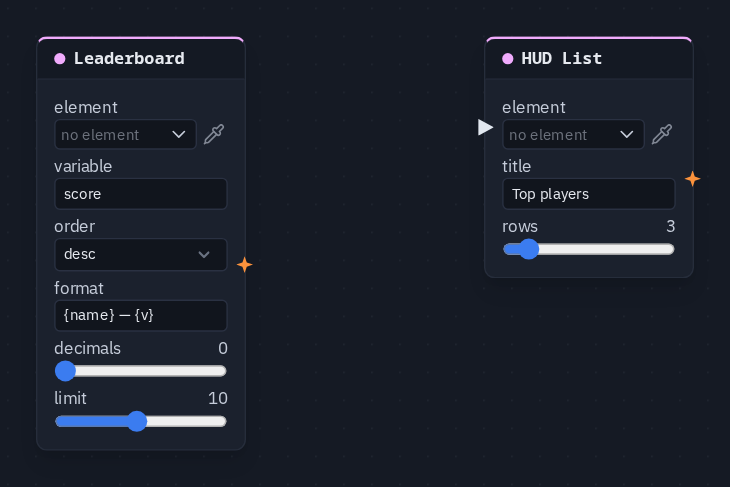
HUD List
Names a HUD List element and sets its title and how many rows it shows — an inventory, objectives, the players. The rows themselves are written into the list by a HUD Rows node, a Leaderboard, a module, or typed on the element in the HUD editor.
Output: none (it writes into its element)
Inputs
| Handle | Type | Meaning |
|---|---|---|
| trigger | event | on the card, but the node does not use it — the title and row count apply all the time |
Parameters
| Parameter | Default | Options |
|---|---|---|
| element | (none) | the List element — see below |
| title | (empty) | a line shown above the rows; empty shows no title |
| rows | 5 | 1–20 — how many rows the list shows |
Where the rows come from
A list is written into, it is not a value that flows along a wire — there is no list socket. The rows on screen are, in order of preference:
- rows pushed in by a HUD Rows node, a Leaderboard or a module;
- otherwise the rows typed on the element in the HUD editor (one per line).
The list shows the first rows it holds, up to rows. Without a HUD List node naming the element, the element's own max rows setting is the limit instead.
Picking the element
The List element is made, placed and styled in the HUD editor. On the card, element opens the scene HUD's elements grouped by screen; the pipette button lets you click the element on the HUD editor's stage instead, and Enter id manually... takes a typed id. A name that matches no element shows amber.
Practical example
A titled top-three:
- In the HUD editor, add a List element.
- Add a Leaderboard picking the list (variable
score) — it fills the rows, one per player. - Add a HUD List picking the same list, title
Top players, rows 3. - Press Play: the list shows Top players and the three highest scores. Nothing needs wiring between the two nodes; they meet at the element.