Prefabs
Prefabs are objects (or whole groups) you save once and reuse anywhere — your personal building blocks.
Saving a prefab
Right-click any object in the viewport or the object list and choose Save as…, then a format:
| Entry | What it makes |
|---|---|
| Prefab | the classic reusable copy in your Library — a snapshot of the object with its materials and children |
| Prefab (.glb) | a prefab that is a .glb file: geometry, materials and baked animation. Node shaders and object flow graphs are not part of glTF, so they stay behind |
| Prefab (.tpscene) | a prefab that is a .tpscene: the objects plus their animation clips, object flow graphs, shader graphs and the joints between them. The scene itself — sky, look, gravity, music, HUD — stays behind |
| glTF binary (.glb) | just downloads the selection. Nothing is stored in your Library |
| glTF (.gltf) | the same as text glTF |
With several objects selected, Save as… saves the whole selection as one prefab. A thumbnail is rendered for the card. Very large objects (over 5 MB serialized) are refused with a toast.
Where prefabs live
Prefabs live in the Prefabs section of the Explorer. You can also drop a 3D model or a scene file on that row to make one; it keeps its own format. Right-click a prefab for Add to scene, Duplicate (Ctrl+D), Export, Update from selection (replace it with what you have selected), Properties, Rename and Delete (to the Deleted bin).
Prefabs are stored in your browser. A prefab saved as .glb or .tpscene can be dragged onto a Library folder to become an
ordinary file, which you can then share with the session; a plain Prefab cannot.
Placing a prefab
- Drag a prefab from the Explorer into the viewport — it is placed at the point you drop it, on the surface under the cursor.
- Or right-click it ▸ Add to scene.
Every placed copy gets fresh identities, replicates to all connected peers like any created object, and is undoable. Since 1.26 a copy placed from your prefab library — dragged from the Explorer's Prefabs tab, Add to scene, or the VR prefab panel — also remembers which prefab it came from, so a later edit of the prefab can reach it (see Updating every copy). A copy is still yours to change: what you change on it is kept.
Updating every copy
Edit a prefab either way below and the app offers to update the copies already in the scene:
- in the Explorer, right-click the prefab ▸ Update from selection (replace the prefab with the objects selected in the scene), or
- right-click a placed copy in the scene ▸ Prefab: ‹name› ▸ Apply changes to prefab.
A toast says how many other copies use it and offers:
| Choice | What happens |
|---|---|
| Update N instances | each copy takes the new version but keeps its own changes — a colour you changed on just that copy, a moved part, a deleted part, objects you added under it |
| Update, reset overrides | each copy matches the prefab exactly |
| Undo | puts the prefab's previous version back in your library |
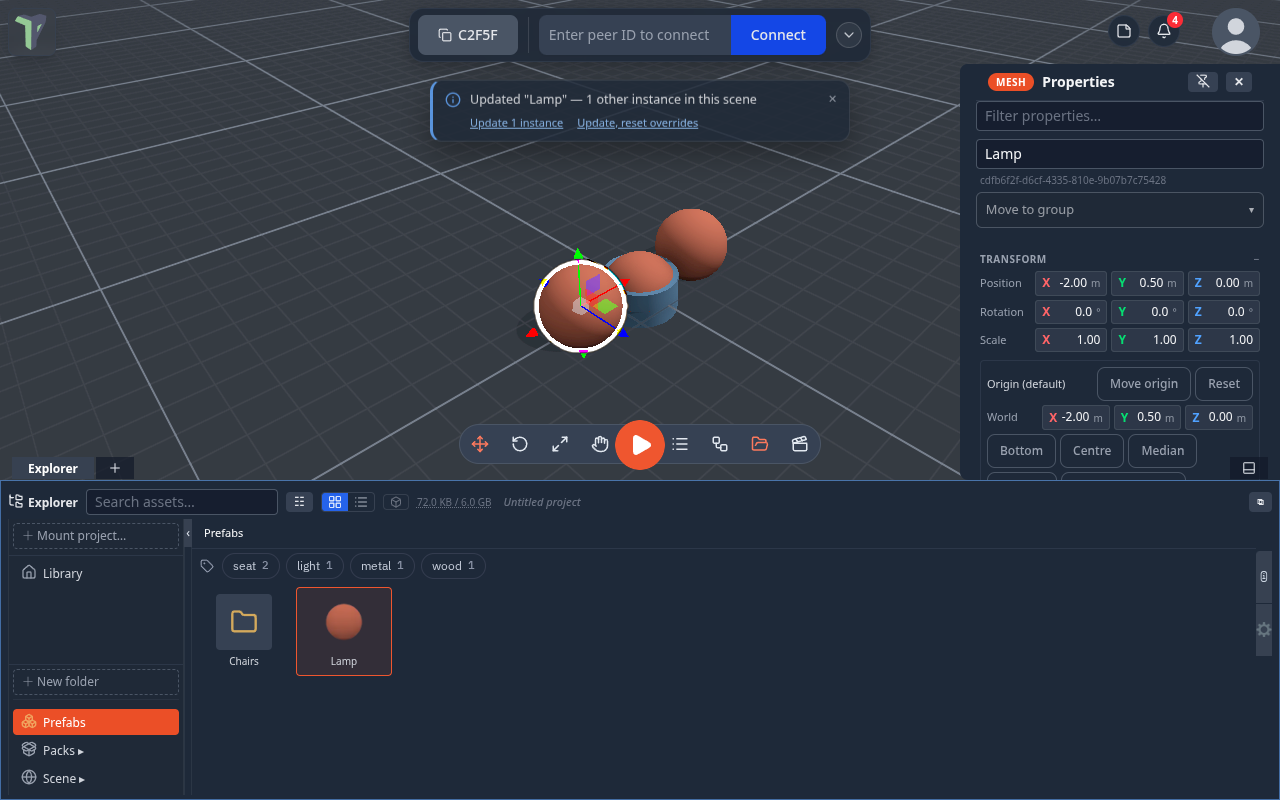
Where each copy stands is always kept. The update is one undo step (Ctrl+Z puts every copy back) and everyone in the session sees it. Your peers do not need the prefab — only you do.
The Prefab submenu
Right-click a placed copy ▸ Prefab: ‹name›:
| Entry | What it does |
|---|---|
| Update from prefab | shown when the prefab has a newer version — updates this copy only, keeping its changes |
| Apply changes to prefab | this copy becomes the prefab's new version |
| Reset overrides | back to the prefab, where it stands kept |
| Select all instances | selects every copy of this prefab in the scene |
| Unlink from prefab | an ordinary object from now on; updates no longer reach it |
A copy of someone else's prefab shows only Unlink. A prefab card's own menu in the Explorer has Instances in scene (N) ▸ Update / Update, reset overrides / Select.
A prefab carries its logic
Saving an object that has a flow graph as a prefab keeps the graph: every placed copy gets its own copy of it, and an update brings graph changes along (a copy whose graph you edited keeps yours). In the prefab's Properties ▸ Logic, Export .tpnode saves that logic as a node group file.
Limits
- A material counts as one change: if you recoloured a copy, an update keeps that copy's whole material.
- A copy placed before 1.26 is not linked — place it again to link it.
- If a copy was placed from a version older than the last 8 the library keeps, its own changes cannot be told apart, and the update keeps nothing as an override.
Folders and tags
The Explorer's Prefabs tab can be sorted into folders and tagged.
- Folders — right-click empty space in the tab ▸ New folder. Right-click a prefab ▸ Move to folder, or drag it onto a folder card. The breadcrumb shows where you are (Prefabs / Folder / Sub-folder). Right-click a folder card ▸ Rename or Delete folder — what it held moves up a level; nothing is deleted.
- Tags — select a prefab, type tags in its Properties (commas separate several) and press Enter; or right-click it ▸ Edit tags….
- Filter — the tag chips under the breadcrumb filter the tab, and pressed chips combine (seat + wood). The search box matches names and tags. Both reach into folders; Clear resets the filter.
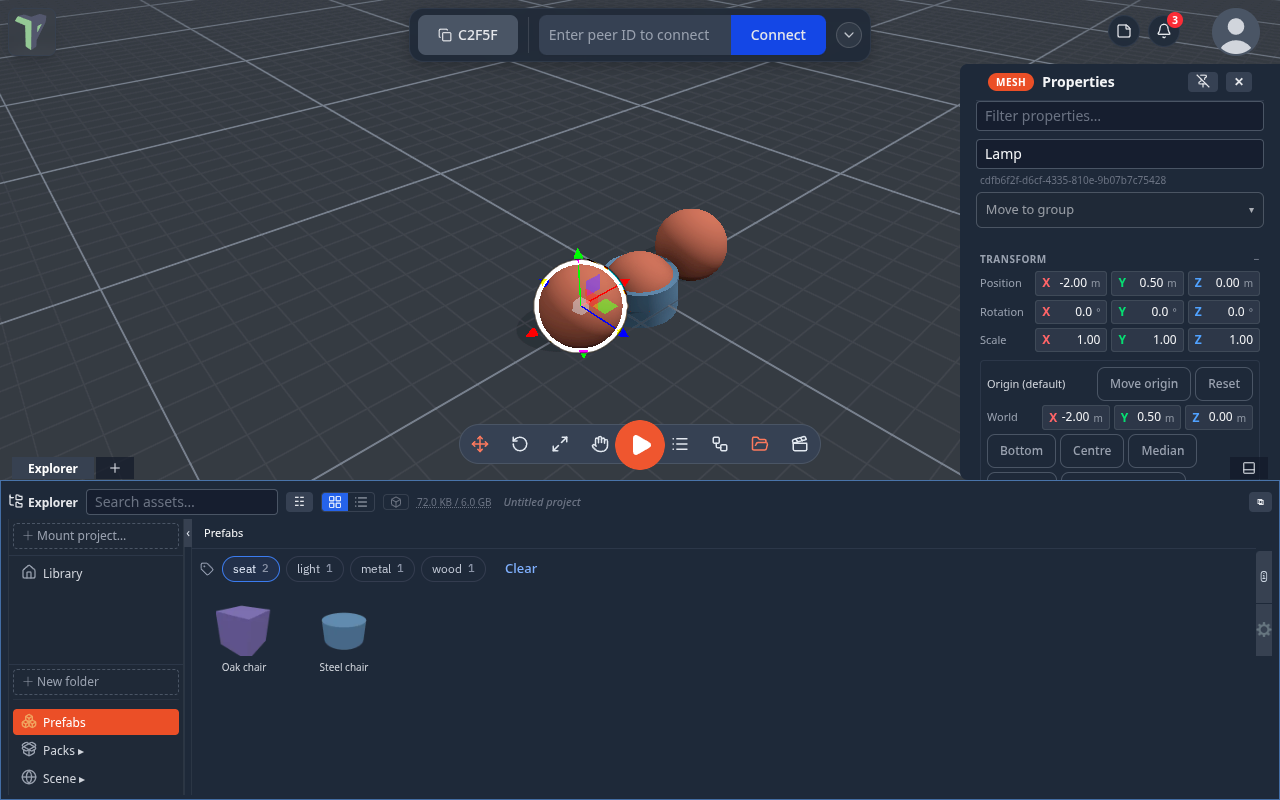
Folders and tags are part of your own library, on this device, like the prefabs themselves.
Exporting a prefab
Right-click a prefab ▸ Export:
- The original file — only for a prefab saved as
.glbor.tpscene: the exact bytes it was saved as, nothing converted. - GLTF — a
.gltfmodel file other tools can open. - prefab (.json) — this prefab as a file; import it back on any machine.
- scene (.tpscene) — a scene whose entire content is this prefab, which the app itself can open.
For moving whole scenes with their assets, use a Scene bundle instead.
Tip
Save structured groups — a furnished room, a rigged button with its wall — not just single meshes. A prefab keeps the entire hierarchy, and Prefab (.tpscene) keeps its flow graphs and joints too.