Fluids: emitters, flow paths and motors
Since 1.25 you can pour real particle water into the open scene: it pools, splashes, lands on meshes and joins any water it is poured into. Flow paths carry it along rivers, chutes and pipes, and two new nodes turn wheels and float leaves and boats along the current. For water volumes (pools, tanks, oceans) see Water; for a glass box of particle fluid see Fluid tank.
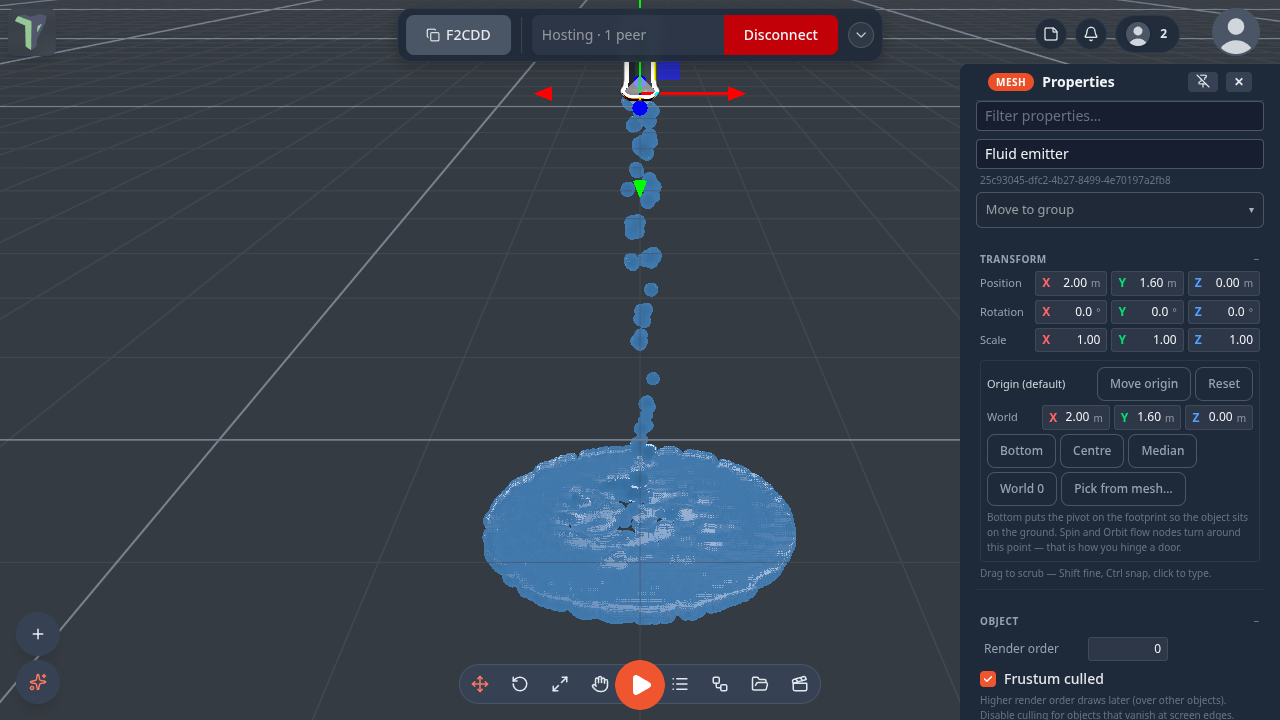
Fluid emitter
Add ▸ Water ▸ Fluid (right-click the viewport, or the + button). It pours from its spout, 1.6 m above where you clicked; rotate it to aim, or pick Aim in its properties.
Properties ▸ Fluid emitter:
| Setting | What it does |
|---|---|
| Emitting | on / off |
| Mode | Stream (continuous) or Spill (releases Spill amount once — a bucket tipping, a leak) |
| Rate /s · Speed · Spread ° | how much, how fast and how wide it pours |
| Aim | down, up, forward or sideways |
| Fluid | drop size, viscosity, surface tension, cohesion (drops gather into puddles), friction (a puddle settles instead of skating), colour, clarity, and the look (smooth surface on a desktop, drops on a Quest) |
| Collide with the scene | the water lands on meshes instead of falling through them |
| Pouring into water joins it | water reaching a pool or tank of water is absorbed, with a ripple |
| Restart | starts the emitter again |
Hard caps keep it bounded — any one of them is enough:
- Max particles — it waits at the cap;
- Lifetime s — older water disappears;
- Area (width / height / depth, and how far below the spout it reaches) — water leaving the area is gone. With Area floor holds water off, it falls out of the bottom.
Each player simulates their own splash; the settings are shared and undoable. An emitter pauses while it is off-screen, and the simulation transport's Pause and Reset hold and clear it with the rest of the simulation.
How water meets an object
Properties ▸ Physics ▸ Fluid is shown when the scene has particle fluid, and sets how the water meets this object:
| Fluid | What happens |
|---|---|
| Auto | the water collides; dynamic bodies are pushed |
| None | the water passes through |
| Collide | the water collides, but never pushes the object |
| Collide + push + float | light objects float on the fluid's pools |
Flow paths
Add ▸ Water ▸ Flow path places a path that carries water toward its end. Kind chooses what it is:
- River / chute — steers water along it at Speed, with Pull /s for how firmly. Loop sends water that reaches the end back to the start, so a closed loop never runs dry.
- Pipe — water at its first point comes out of its last point: a hidden pump.
A path also has a width and depth, an animated water surface (colour, opacity), its point list (Add point, ✕ to remove one) and Shape from a spline…, which lets you draw the curve with the spline tool. Physics bodies pass through a path's surface. On a Quest the surface is what you see of a river.
Nodes
Both are in the node editor's Animation group:
- Rotate / Motor — turns its object about one of its own axes, around its origin (a wheel on its hub), at rpm with a spin-up. Paddles and scoops it turns push and carry fluid. On a dynamic physics body during a simulation it is a motor of the given torque instead, so a load slows it. The on input switches it.
- Float Along Flow — carries its object (a leaf, a toy boat) along the nearest flow path, or the one wired in, at the path's speed × speed, bobbing, facing the current and looping.
Fluid budget
Configure Scene ▸ Physics ▸ Fluid budget is one particle budget shared by every Fluid emitter in the scene; each emitter gets a share in proportion to its own Max particles. The budget is lowered automatically when frames drop, and a headset runs at most 1400 particles.
Example: Water works
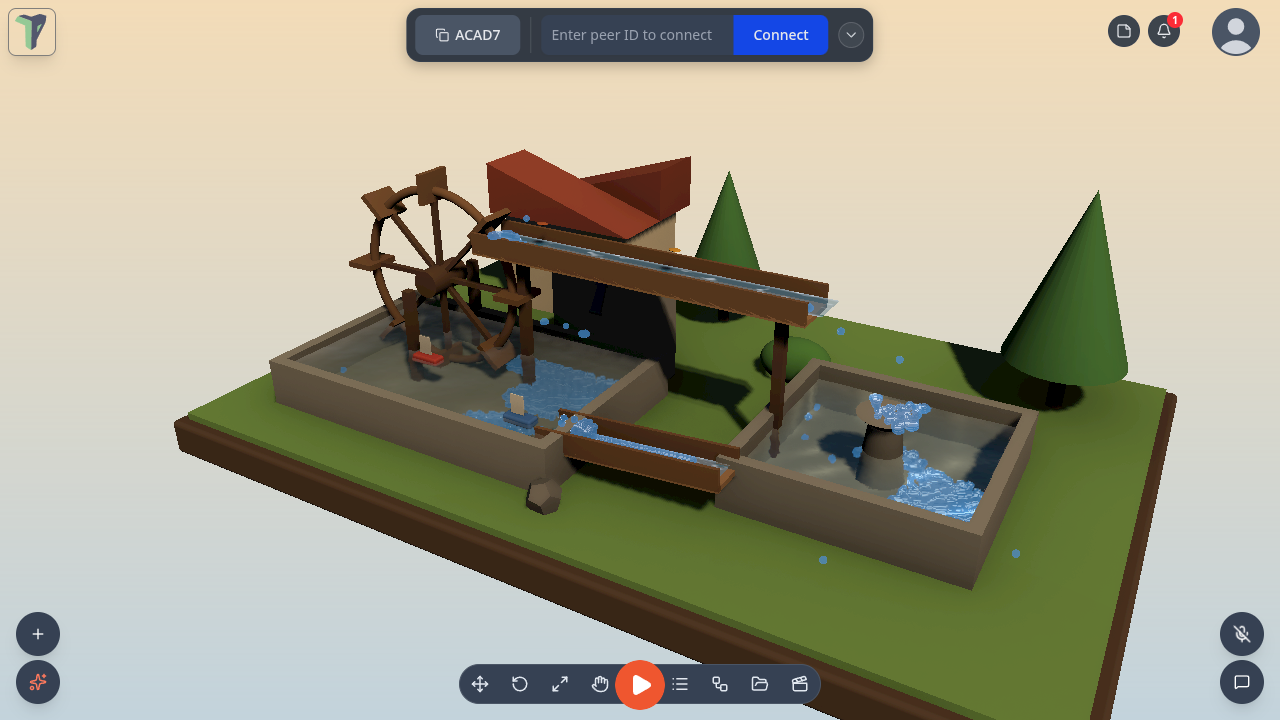
Menu ▸ Templates ▸ Examples ▸ Water works is a closed loop on a diorama: a scoop wheel lifts pond water into a head-race, which spills into a fountain basin; the basin overflows down a chute back into the pond, and leaves and boats ride along.
Limits
- Particle water is simulated per player: it never travels over the network, only the settings do.
- A Fluid emitter's area is at most 16 m a side, and is shrunk to fit 600 k grid cells.
- Up to 6000 particles per emitter on a desktop; a headset shares at most 1400 across the scene.