Game rules on the Main graph
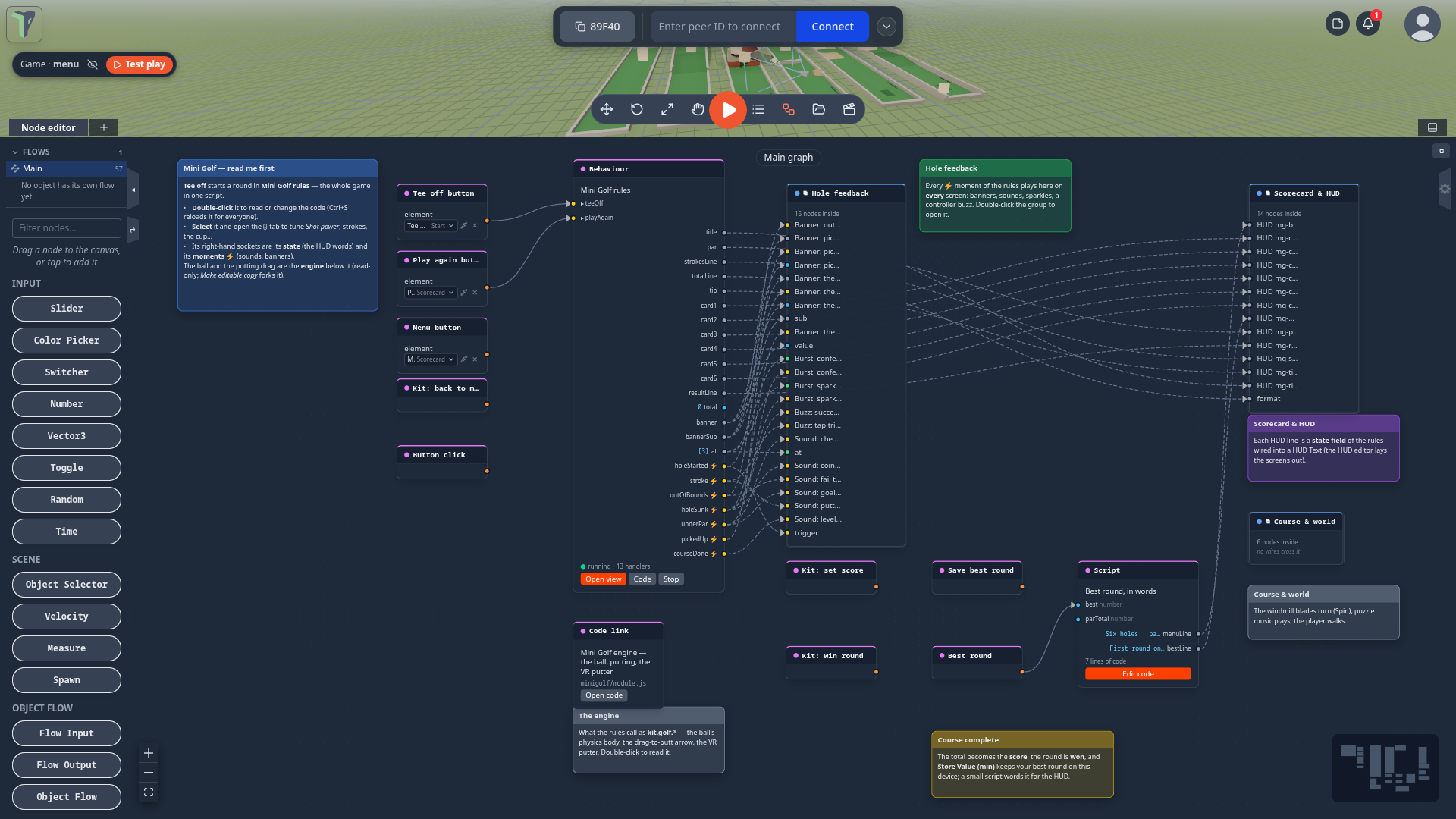
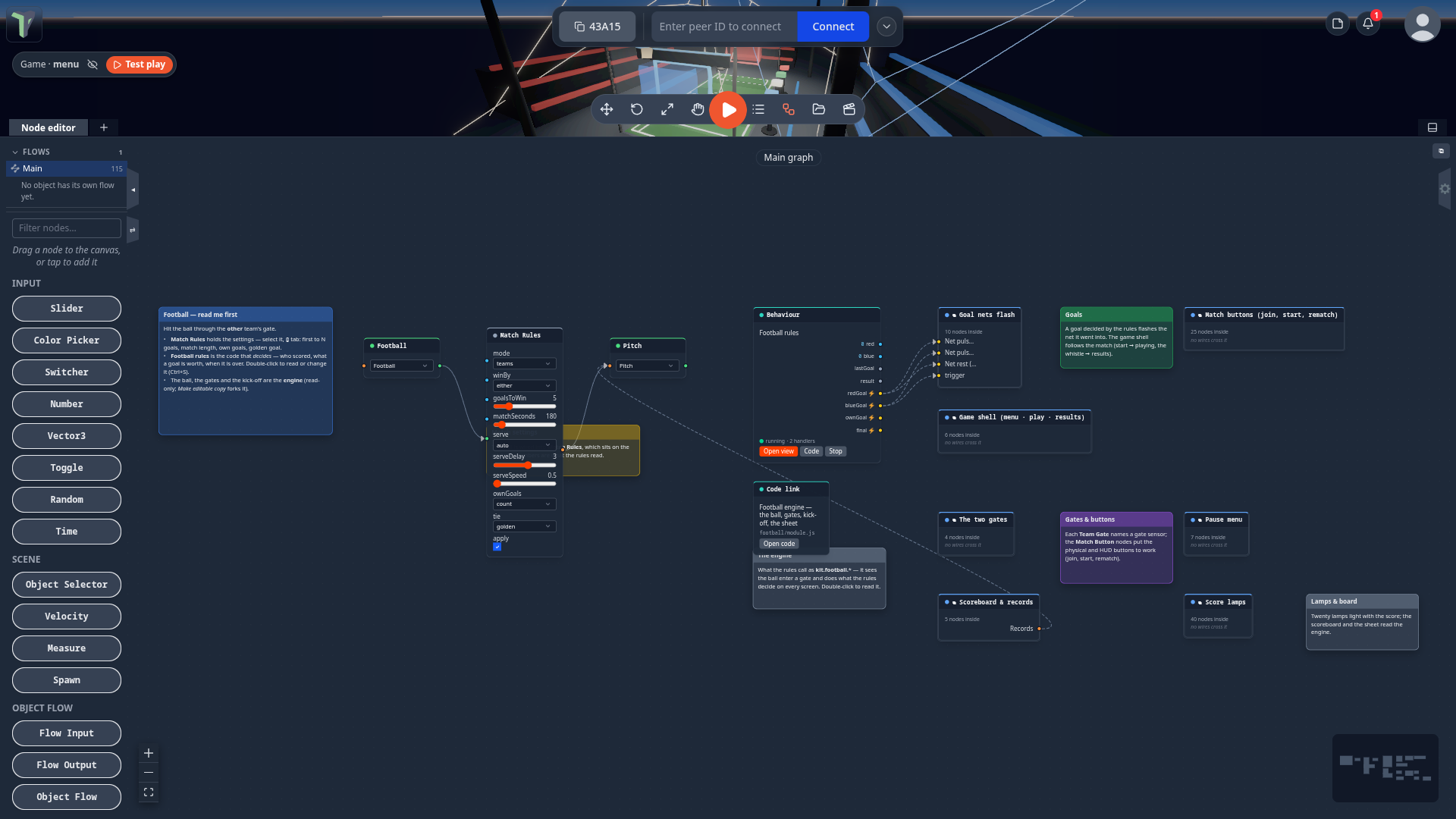
Every game rebuilt in 1.23 has one readable script that is its rules, sitting on the game's Main graph. Open the game, open the node editor, and the whole game is in front of you: the rules in the middle, wired to the buttons, the HUD, the sounds and the kit around it. Change a number in a panel, or change the code and press Ctrl+S, and the game plays by your rules on every player's screen.
These games ship this way: Mini Golf, Football, Dungeon Realms, The Alchemist's Escape, Sky Run, Target Toss and Marble Maze (see The Games tab).
Where it is
Open a game from the Games tab, then open the Node editor (N). Main is the first entry under Flows. The blue note "… — read me first" says where to start.
What is on the graph
- The rules node — a Behaviour node such as Mini Golf rules, Football rules or Escape rules. It holds the game's logic as plain JavaScript: holes and par, the cup, out of bounds, who scored, when a match is over, how many gems open a portal, the escape room's dial code and lever order, Sky Run's stages and fall depth, what each Target Toss target is worth and how a combo grows.
- Its sockets connect it to the rest of the graph:
- inputs on the left — the menu buttons (Tee off, Play again…) are wired into them;
- outputs on the right — its state (the words the HUD shows: Hole 3 of 6 · Windmill, Strokes 2, / 8 needed…) and its moments ⚡ (a stroke, out of bounds, the ball in the cup, a goal, a portal opening), wired into banners, sounds, sparkles, controller buzzes and kit nodes (set score, win round).
- The engine — what rules cannot be: a ball's physics body, the drag-to-putt arrow, a VR putter, a generated
dungeon. It stays in the game's module, and the rules reach it as
kit.golf.*,kit.football.*,kit.realms.*,kit.escape.*,kit.skyrun.*,kit.toss.*orkit.marble.*. A Code link node on Main opens the engine's source, read-only. - Named groups hold everything else — Hole feedback, Scorecard & HUD, Score lamps, Start menu & buttons… — with a note beside each one that explains it. Double-click a group to open it (see Groups).
Change a number
You do not have to read code to tune a game. Select the rules node — or the game's settings node: Football's Match Rules, Dungeon Realms' Game Rules — open the ⓘ tab of the properties panel, and change the value:
| Game | For example |
|---|---|
| Mini Golf | Shot power (the fastest putt, m/s), Strokes before pick-up, Cup radius |
| Football | goals to win, match seconds |
| Dungeon Realms | gem share |
| The Alchemist's Escape | crank turns |
| Sky Run | jump height, fall depth, countdown |
| Target Toss | combo window, biggest combo, grab reach |
| Marble Maze | board tilt limit, turn speed |
A knob on the rules node rewrites the number in the code itself, so the code and the panel always agree.
Change the rules in code
Double-click the rules node (or right-click ▸ Open code). The code workspace opens it; edit it and press Ctrl+S. The game reloads your rules on every player's screen, and the hole, match or floor in play carries on. Broken code never applies: the old rules keep running, and an error badge says why.
Some things to try:
| Game | Change | Where |
|---|---|---|
| Mini Golf | make hole 1 a par 4 | the HOLES table |
| Football | make a goal worth 2 | GOAL_POINTS |
| Dungeon Realms | ask for one extra gem per floor | EXTRA_GEMS |
| The Alchemist's Escape | change the dial code | CODE |
| Sky Run | rename or re-time a stage | STAGES |
| Target Toss | make a can worth more | POINTS |
| Marble Maze | rename or re-time a maze | MAZES |
Both kinds of change are saved with the scene (they survive a reload) and reach everyone in the room.
See the logic as nodes: the rules node's Open view button shows its live node view — every event it listens to, every handler, the state it writes, the kit and engine calls it makes, and the moments it emits.
For module and game authors
The behaviour format grew the sockets these games use, and a module can lend its engine to rules — see For module and game authors on the Module SDK page.
Limits
- Towers, Waves, Untangle, Stars Room and Jam Room are not rebuilt in 1.23: their logic stays in their module.
- A game's menu buttons may be wired straight into its rules node's inputs (Target Toss, Marble Maze): a press runs the rules on the authority, once.
- The rules run on one player's machine — the session's authority. A rules node edited while you are offline from the others applies when they reconnect; it is ordinary node data.
- The live node view is read-only: change the code or the knobs.
- A copy saved before 1.23 of Mini Golf, The Alchemist's Escape, Sky Run, Target Toss or Marble Maze has no rules node, and its game does not start in 1.23. Opening one says so and offers Open Games: open the game from the Games tab to play or remix the new version. Football and Dungeon Realms copies keep working as before.