Your Character
Since 1.24 everyone in a session appears as a rigged, animated character instead of a floating head. The body stands under the person's viewpoint, walks, runs, strafes, jumps and idles with the way they move, turns to face where they look, and — when they are in VR — reaches for their controllers with its arms. The classic floating head is still there as a choice.
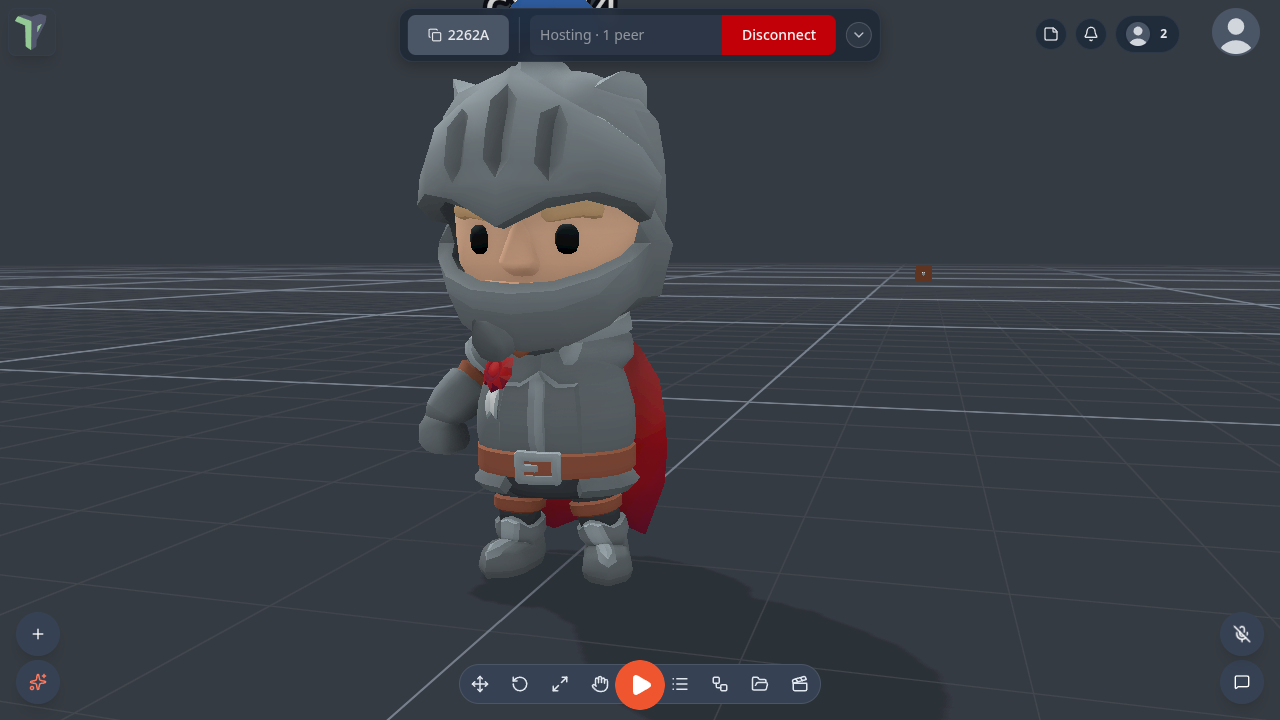
The characters
Nine characters ship with the app: Knight, Mage, Rogue, Hooded rogue, Barbarian, Skeleton, Skeleton warrior, Skeleton mage and Skeleton rogue, from Kay Lousberg's free CC0 KayKit packs.
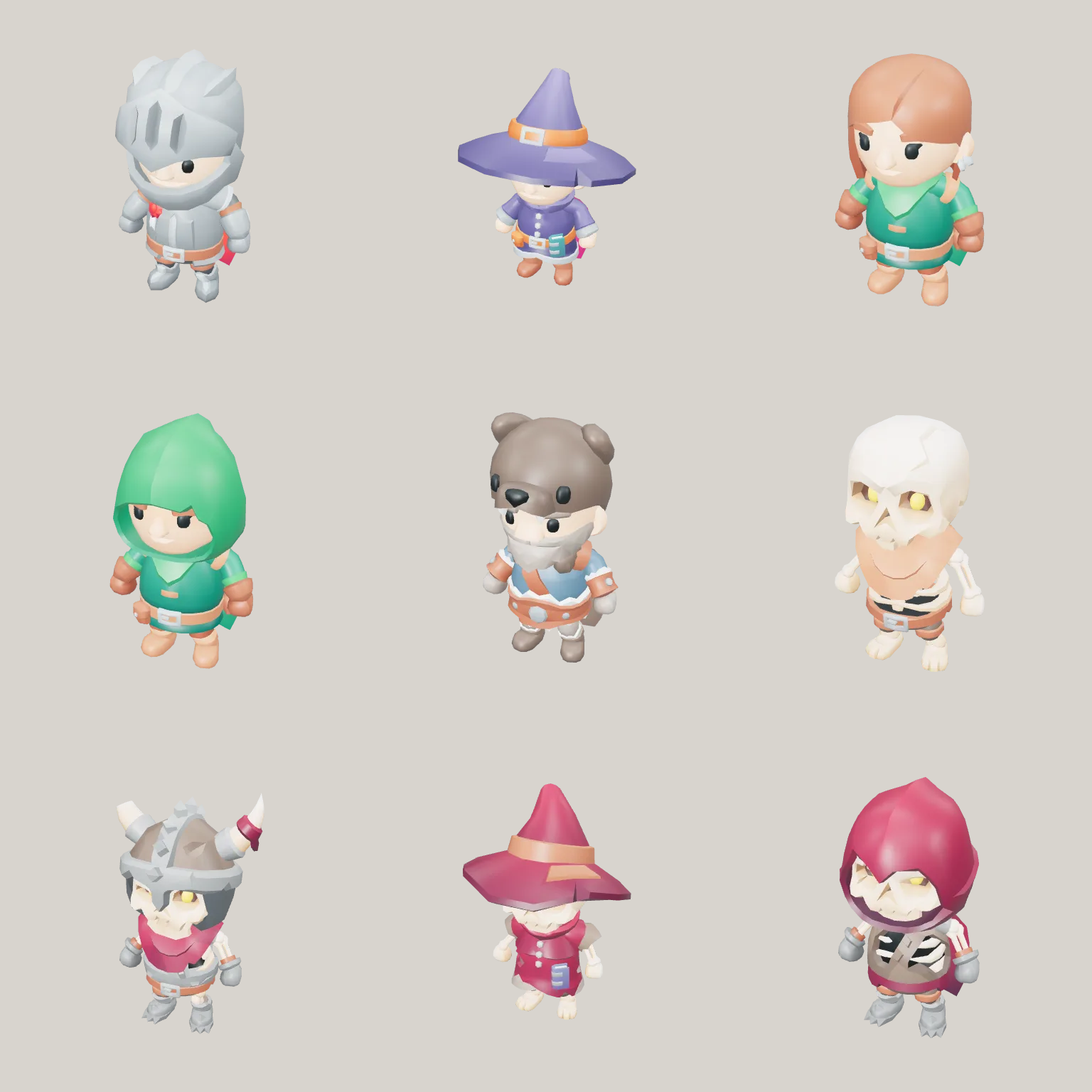
If you never pick one, you get Surprise me: a character chosen from your id, so everyone sees the same one for you. The same characters are also an Explorer pack, Packs ▸ Adventurers, that you can place in a scene as animated models (see Packs).
Customize Character
Profile menu (your picture, top right) ▸ Customize Character — also Settings ▸ Interface ▸ Avatars ▸ Customize character…. A side panel opens and the camera moves to your own character, standing where you are, so you see yourself the way other people do.
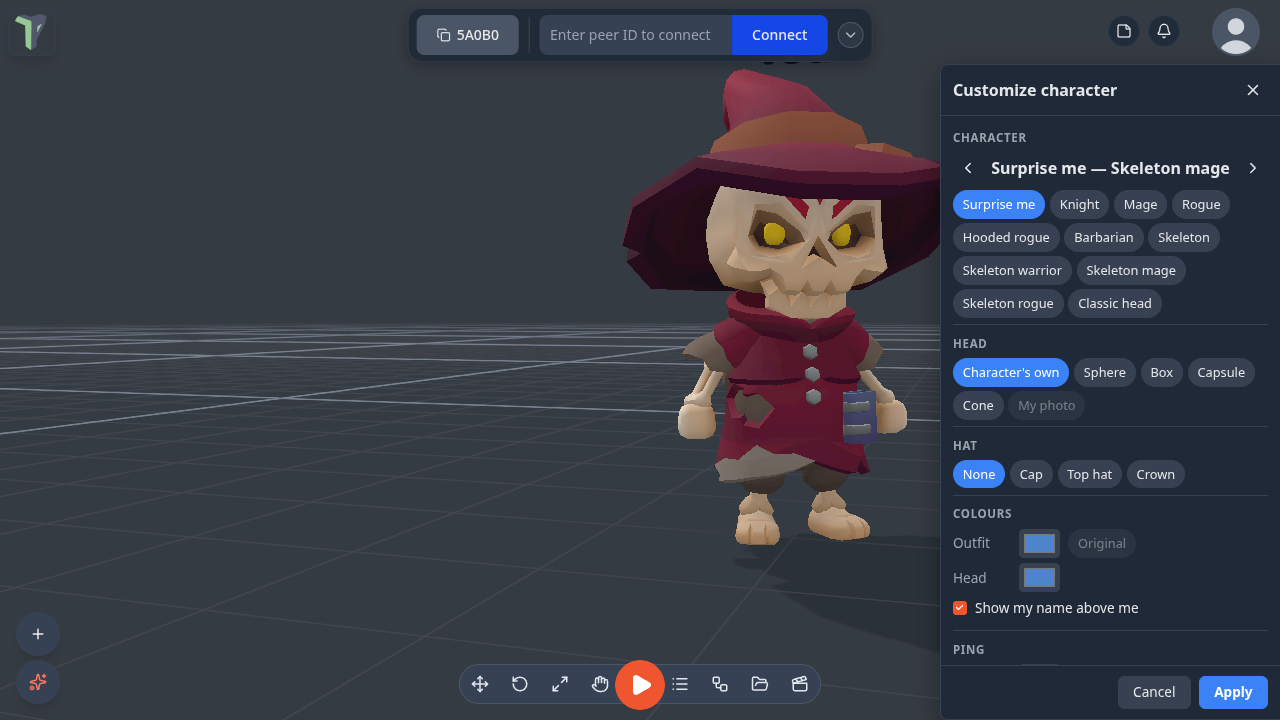
| Section | What you choose |
|---|---|
| Character | one of the nine — step through them with ‹ › — or Surprise me or Classic head |
| Head | the character's own head, a stylised Sphere, Box, Capsule or Cone in your colour, or My photo (your profile picture on a card; needs a profile photo) |
| Hat | None, Cap, Top hat or Crown — it sits on whatever head you chose |
| Colours | Outfit recolours the character's clothes (skin and face keep theirs; Original puts them back); Head colours a stylised head or the classic avatar |
| Show my name above me | your name label |
| Ping | the colour and chime of your pings; Preview pings beside your character (only you see and hear it) |
Since 1.30 the panel is a drawer on the right (a bottom sheet on a phone): drag its inner edge to make it wider or narrower — the keyboard works too (focus the edge, then the arrow keys; Shift for bigger steps) — and the camera keeps your character in the part of the screen the drawer leaves free. The size is remembered on this device.
Every change shows on your character at once; nothing reaches other people until you press Apply, which saves it and shows it to everyone. Cancel, Esc or ✕ throw the changes away. Either way the camera returns exactly to where your view was before you opened it.
Showing everyone as classic heads
Settings ▸ Interface ▸ Avatars ▸ Show everyone as classic heads draws other people as the floating head instead of their character — on this device only, and lighter on a headset with many people in the room. They still see your character.
Knocked-off idle
When someone gives no input for a while, everyone sees their character knocked off: little stars circle its head, the head sways in a slow figure-8, and its eyes turn into spinning stars. Any key, click, mouse move or head move wakes them, and it fades out smoothly.
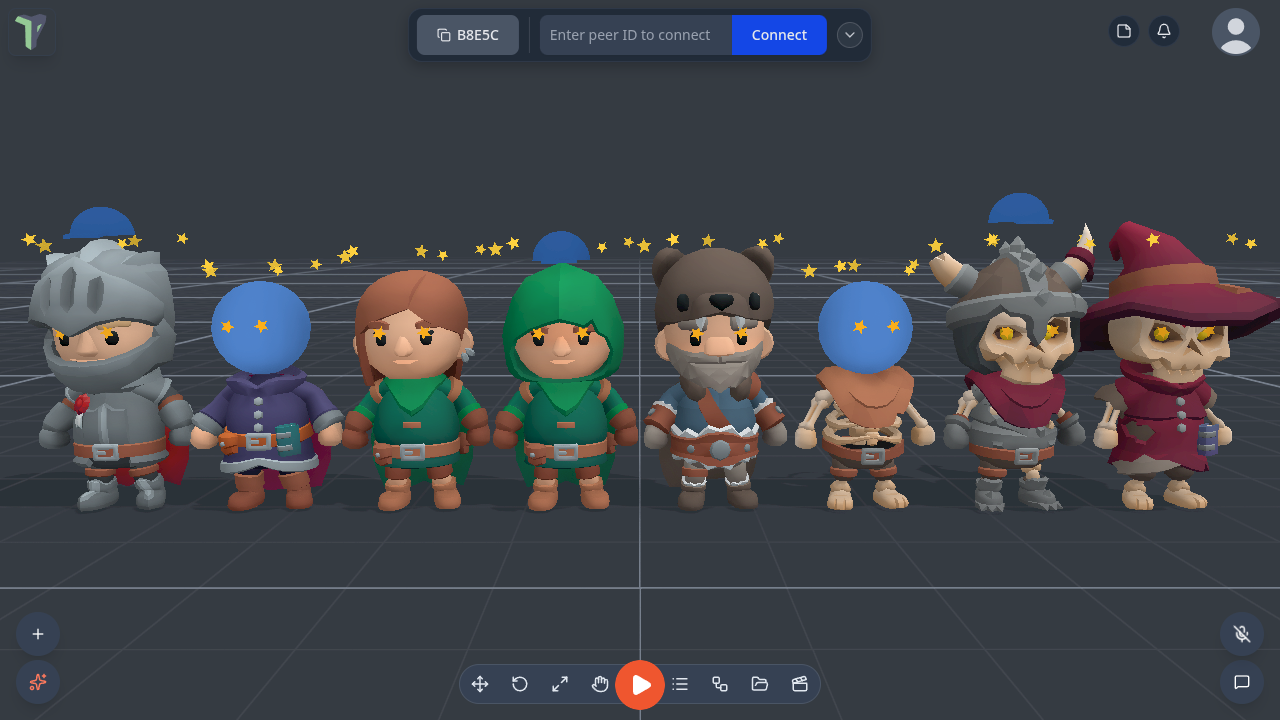
Settings ▸ Interface ▸ Avatars ▸ Knocked-off idle chooses when you count as idle: Off, 10 s, 20 s (the default) or 60 s. It is a setting for this device.
It works on every head — the character's own, the stylised ones, a photo card and the classic floating head — and costs one extra draw call per idle character, none while awake.
Feet on the ground
Since 1.26 characters stand on the floor in Play. (Before, a walking player sank about 0.9 m into the ground on everyone else's screen.)
- A walking player tells the others where their feet are, so the character stands on the same floor — steps and raised floors included — in desktop Play, with a Character Controller node in walk mode, and walking in VR Interact.
- Each foot stays planted while walking or running: the animation's heel roll no longer pushes a foot through the floor.
- A player who is flying or editing is still drawn with the body hanging under the head, as before.
In VR
A VR user's character follows their head, and its arms reach for their controllers; a hand held out of the arm's reach falls back to the floating controller marker. Pointing at an object puts the character's hand on it.
Limits
- The bodies are stylised (big heads): a character is about 2.2 m tall so its eyes sit where the person's are.
- In the editor, a character follows the editor camera — flying the camera makes the body float.
- On a steep slope (20–30°) the feet follow the walker's capsule and can float a couple of centimetres above the slope; there is no foot IK yet.
- Characters add no network traffic: each screen works the bodies out from the position and hand data already shared.
- Each character is at most about 6,000 triangles with one material, so eight people stay inside a Quest's budget.