Architecture
Since 1.27 you can build rooms and houses from parametric pieces: walls with doorways and window openings, doors and windows that open, and four kinds of stairs. Every piece is a set of numbers you can change at any time, and doors swing open for everyone in the session.
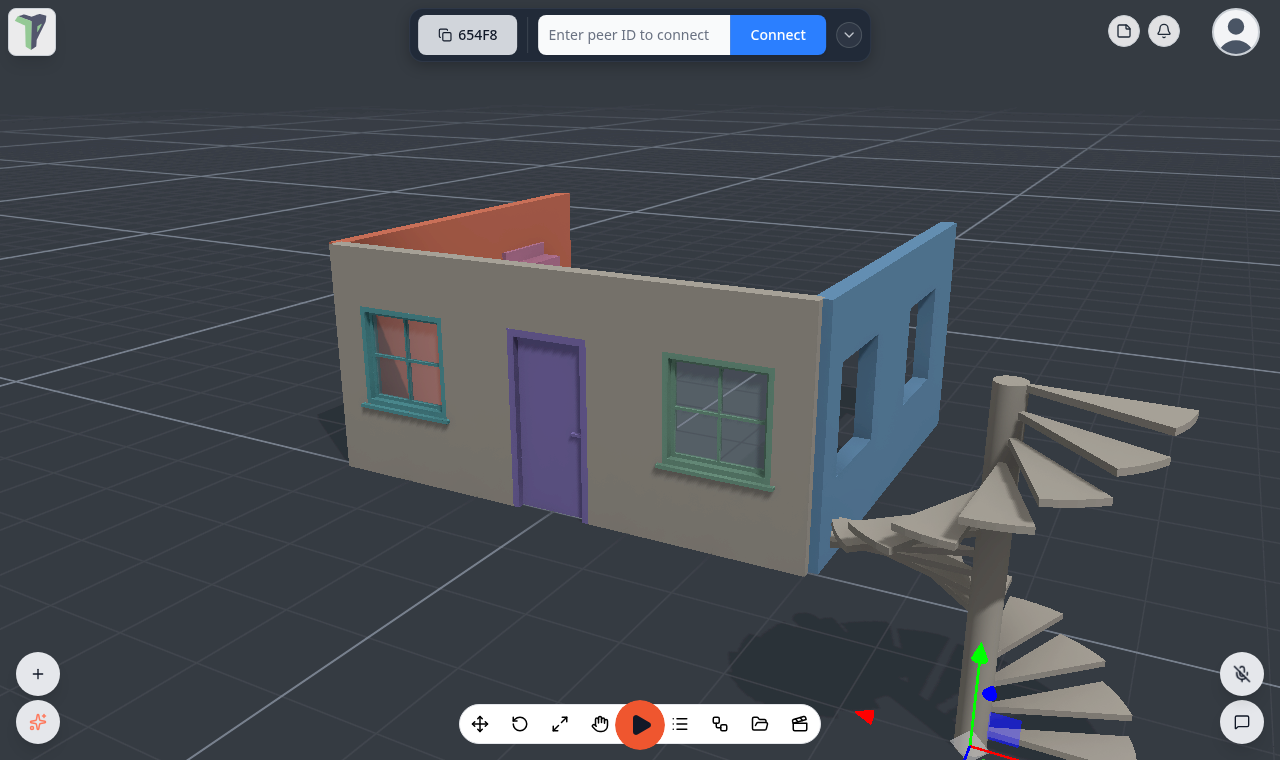
Adding a piece
Right-click the viewport ▸ Add ▸ Architecture (or type the name into the Add menu's search):
| Group | Items |
|---|---|
| Walls | Wall · Wall with door · Wall with windows · Wall with door and windows |
| Doors | Door · Double door |
| Windows | Window · Casement window |
| Stairs | Stairs (straight) · Stairs (L) · Stairs (U) · Stairs (spiral) |
Pieces from the Add menu land on the 1 m grid.
In VR
Since 1.28 the headset's radial menu has the same twelve pieces under Add ▸ Architecture ▸, with the same names. Each one lands 3 m in front of you. See The first ring.
Editing a piece
Select the piece and open its Properties: the Geometry section holds every number. Rows that do not apply are hidden — a wall with no doors has no Door width row.
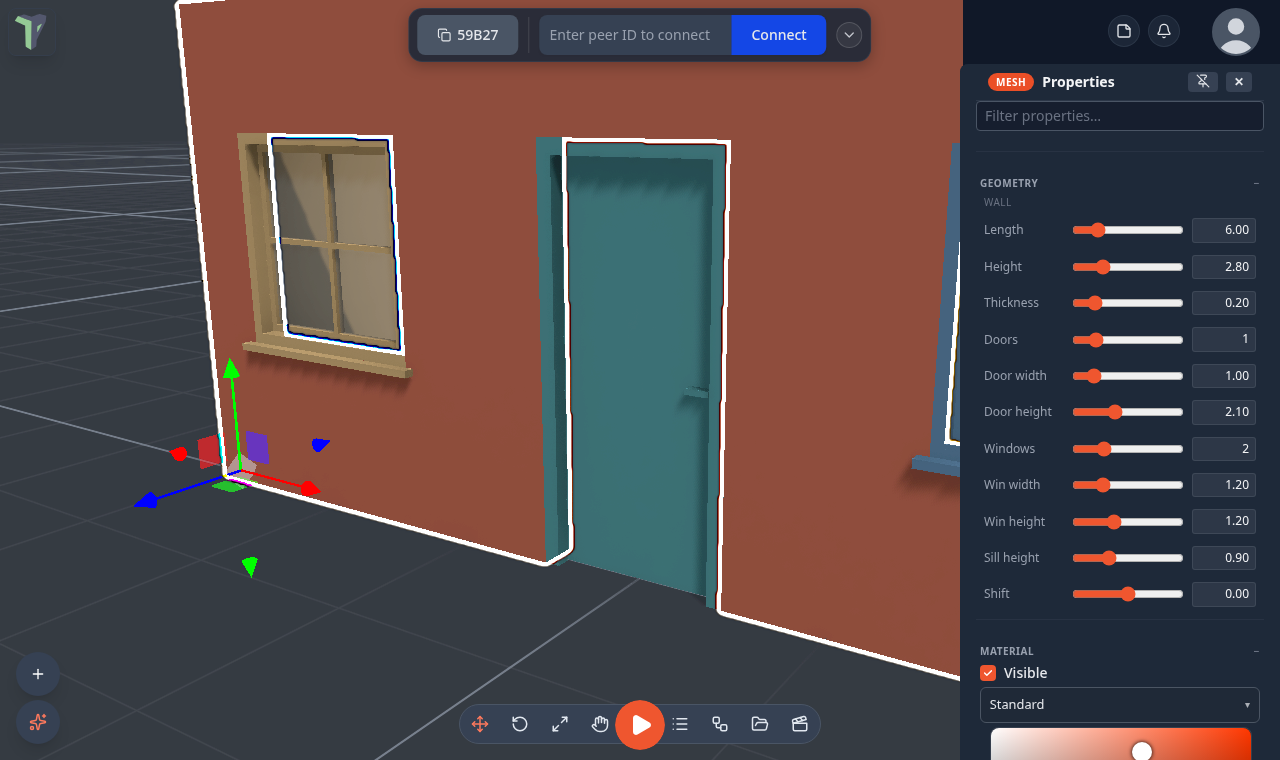
Wall
| Row | What it sets |
|---|---|
| Length · Height · Thickness | the size of the wall |
| Doors · Door width · Door height | how many doorways and their size |
| Windows · Win width · Win height | how many window openings and their size |
| Sill height | how far above the floor the window openings start |
| Shift | slides the openings along the wall |
Openings are spread evenly along the wall, centred on half metres, and a 10 cm pier always stays between them. The wall's origin is its start end, on the floor, so walls of a whole number of metres snap end to end on the grid.
Door
| Row | What it sets |
|---|---|
| Width · Height | the opening the door fills |
| Frame depth · Frame | how deep and how wide the frame is |
| Leaves | single or double |
| Hinge | left or right (a single door) |
| Opens | in or out |
| Swing ° | how far it opens |
| Glass panes | panes of glass in the leaf (0 for a solid door) |
| Sill | a threshold at the bottom |
| Opens on | click, or proximity — it opens when someone walks up to it |
Window
| Row | What it sets |
|---|---|
| Width · Height | the size of the window |
| Sill height | how far above the floor it sits |
| Frame depth · Frame | how deep and how wide the frame is |
| Panes across · Panes up | the glazing bars |
| Sill ledge | a ledge under the window |
| Opens | fixed, or casement (it swings open) |
| Hinge | left or right (a casement) |
Stairs
| Row | What it sets |
|---|---|
| Shape | straight, L, U or spiral |
| Width · Steps | how wide the stair is and how many steps it has |
| Rise · Run | the height and depth of each step |
| Turn | left or right (L, U and spiral) |
| Flight gap | the space between the two flights of a U stair |
| Column | the thickness of a spiral stair's centre column |
| Solid · Tread | a solid stair, or open treads of this thickness |
Fitting a door or window into a wall
A door and a window both sit centred on their opening, at floor level. To fit one into a wall, place it on the same grid point as the centre of the wall's opening, with the same size as the opening (and, for a window, the same Sill height). The pieces from the Add menu already match each other.
Doors and windows that open
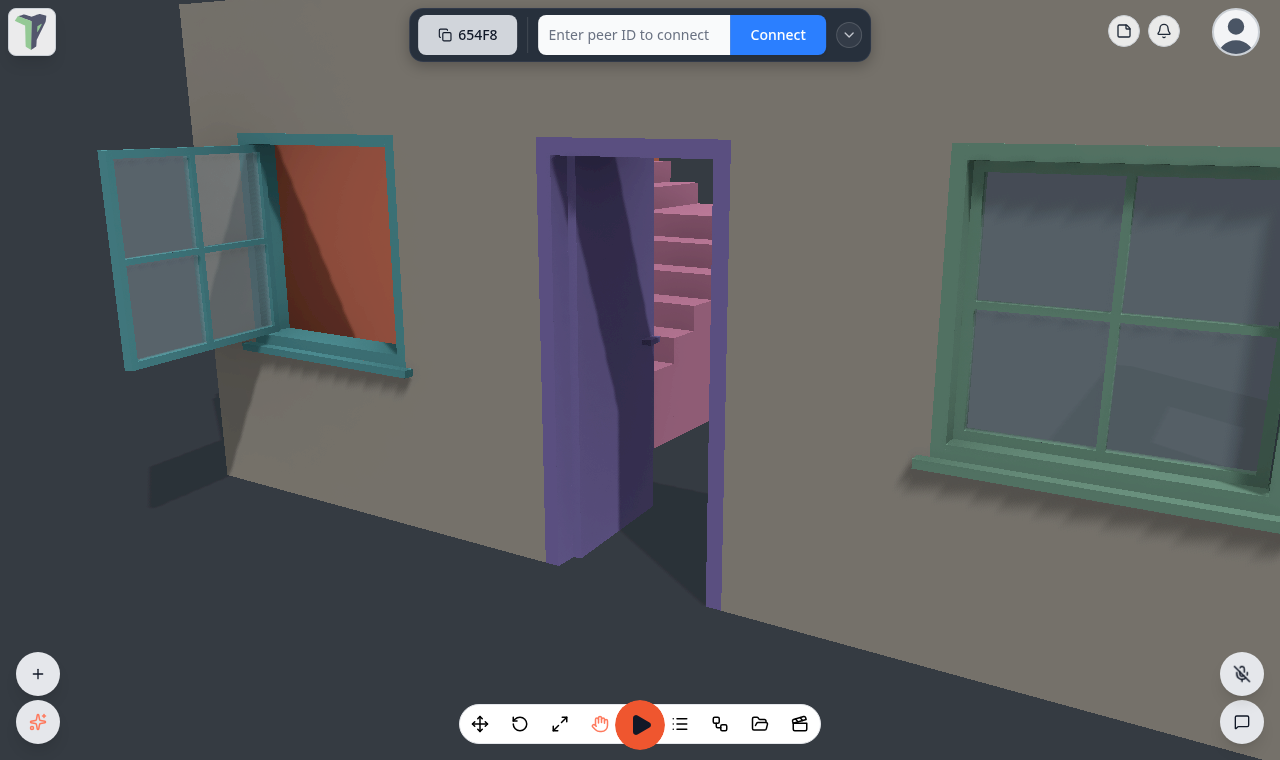
In Interact and Play, click a door to open or close it, or walk up to a door set to open on proximity. Casement windows open the same way. Every peer sees the same swing, and a player who joins later sees the door already open. In Edit a door always shows shut, so it is easy to place.
Collisions
- Walls and stairs collide with their exact shape: doorways stay open, and a walking player climbs steps up to 0.3 m high.
- A door's frame blocks around the doorway, and its leaf blocks only while it is shut.
- A window is a solid slab.
Limits
- The parts of a door or window are rebuilt from its numbers on every device, so editing the mesh of a door changes only its frame.
- Very steep stairs (a Rise near 0.3 m) are the most a walking player can climb.